
Car Scanner ELM OBD2
CAR SCANNER LLCAuto & Vehicles
4.77.66K Reviews
- Version
- 2.2.42
- Installs
- 10.00M
- Age Rating
- Everyone
Screenshots
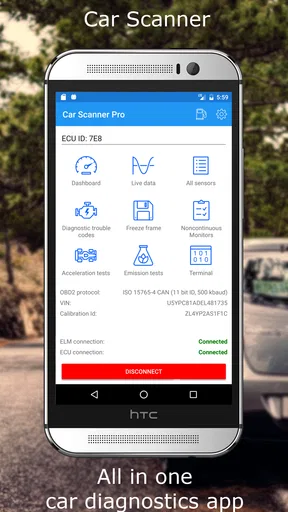
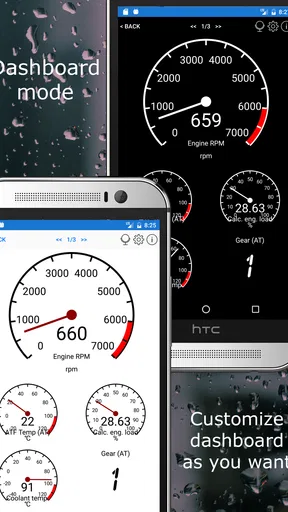
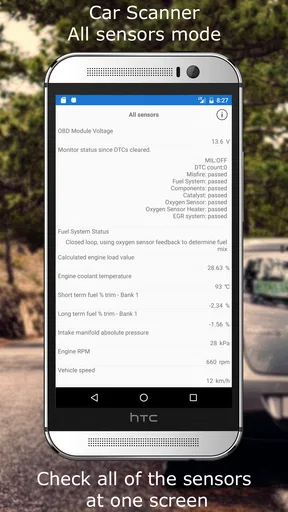
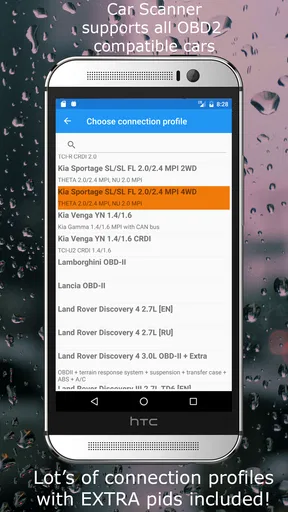
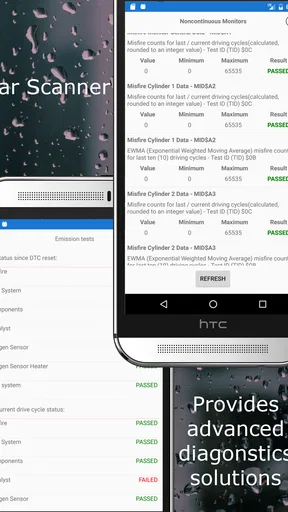
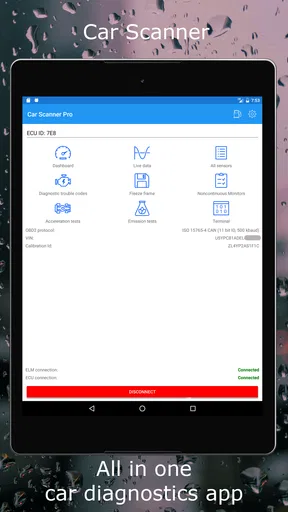
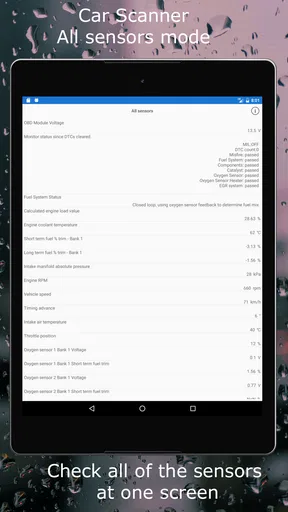
Our Review of Car Scanner ELM OBD2
 Analysis by Appyee
I like car tools that keep earning their place after the first round of curiosity. A dashboard full of engine readings can be fun to explore, but the real test is whether it helps me make a better decision weeks later: keep monitoring a warning, look up a fault before calling a garage, or simply understand what the car is doing. Car Scanner ELM OBD2 is aimed at that practical middle ground between a basic trip computer and specialist diagnostic equipment, provided you already have a compatible OBD2 adapter.
What makes the first week appealing
On an early drive, live readings are the obvious draw. Speed and engine RPM are easy to understand, while the wider selection of vehicle data can make an ordinary commute feel more informative. I would start with only a few values on the dashboard rather than filling every space: a tidy screen is easier to glance at, and it gives the numbers you actually care about room to be useful.
The first useful routine is simple: connect while parked, check that the app is communicating with the adapter, and then take a short drive to see which readings behave consistently. Vehicle compatibility and the adapter matter here, so I would not treat a number that looks odd on the first attempt as proof that the car has a fault. A reading is most useful when it makes sense alongside how the vehicle feels and what the app reports elsewhere.
Why it can stay useful month to month
The lasting value is less about watching gauges every trip and more about having a reference point when something changes. If the check-engine light appears, reading the diagnostic code can help me arrive at a repair conversation with a clearer question. Clearing a code is available too, but I would avoid using that as a substitute for finding and fixing the cause; a light going away does not establish that the underlying issue is gone.
Logs can also turn vague impressions into something easier to discuss. If fuel use seems different or a car behaves unusually on a familiar route, recorded readings may help show a pattern to a mechanic. That is a supporting clue, not a complete diagnosis: the app cannot replace a hands-on inspection, and a code alone does not tell the full story of a repair.
The maintenance habit it asks of you
This is not a set-and-forget service tracker. Its value depends on having an adapter, connecting when you want information, and choosing which data deserves attention. I would make a small dashboard for regular checks and leave more detailed displays for a specific question. Exporting logs to CSV is a useful next step if you already know how you want to compare them, but a file full of readings can become clutter rather than insight without a clear purpose.
Car Scanner is free to install, with in-app purchases listed from $1.49 to $5.49 per item. The app is developed by CAR SCANNER LLC, sits in the auto-and-vehicle category, and has a 4.7 average from around 321,000 ratings, with over 10 million installs. Its current version is 2.1.3, and it runs on Android 5.0 or later. The age rating is Everyone. Those details make it easy to try, though I would still check that the adapter and the readings you need work with your particular car before building a routine around them.
Who will appreciate it—and who may tire of it
I think it suits drivers who like to understand their vehicle, people comfortable checking a code before booking a garage visit, and owners who want a little more detail than a standard trip display offers. It is less compelling if you only want turn-by-turn directions, a polished fuel log, or a mechanic to interpret everything for you. A dedicated repair diagnosis is the better choice when the issue affects safe driving or needs proper testing.
There is also a real novelty trap. The first few sessions can be absorbing, but constantly checking RPM or other changing values can distract from driving without improving maintenance. I would set up the useful screens while parked, keep the phone out of hand on the road, and open the app when there is a concrete reason to check something. The habit that lasts is occasional, purposeful use—not treating every commute as a live experiment.
Getting Started with Car Scanner ELM OBD2
First things first, you’ll need an OBD2 adapter to connect your smartphone to your car. Once you’ve got that, downloading the Car Scanner ELM OBD2 app is a breeze. Available on both Android and iOS, it’s a no-fuss installation process. Just plug the adapter into your car’s OBD2 port, fire up the app, and you’re good to go.
The app’s interface is pretty intuitive, even for those who aren’t super tech-savvy. Once connected, you’re greeted with a dashboard that displays all sorts of juicy data about your car. And let me just say, it’s pretty satisfying to see all those numbers and graphs come to life!
Features That Stand Out
This app is packed with features that cater to both newbies and seasoned car buffs. One of my favorites is the real-time diagnostics. You can monitor the engine’s performance, track fuel consumption, and even see the speed and RPM in real-time. It’s like having a tiny NASCAR pit crew in your car!
Another cool feature is the ability to read and clear diagnostic trouble codes. This means you can figure out why that pesky check engine light is on without having to visit a mechanic. How cool is that? It’s a great way to save some bucks and get a handle on what’s happening with your vehicle.
Customization and More
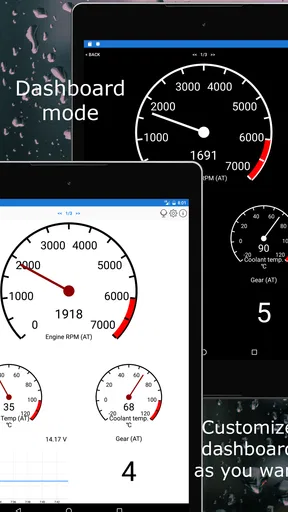
One thing I appreciate about this app is its customization options. You can set up various dashboards to display the data you care about most. Whether you’re focusing on fuel efficiency or engine performance, you can tailor the app to suit your needs.
For those who love data, the app allows you to export logs to a CSV file. It’s perfect for tracking your car’s performance over time or sharing with a mechanic if you need a second opinion. Plus, the app supports a wide range of car models, making it versatile for just about any driver.
Living with the readings
A realistic use case is a warning light appearing during a normal week, perhaps just before a planned drive. I would pull over safely, park, connect the adapter, and read the code before deciding what to do next. That can help me describe the issue more clearly when contacting a repair shop. I would not assume that a code identifies one exact failed part, or that clearing it makes the car safe to keep driving; symptoms, the vehicle manual, and professional advice still matter.
There is a useful trade-off between a live dashboard and a saved record. Live values are good for noticing what happens during a particular drive, while exported logs are better when I want to show a mechanic what I observed later. For a one-off warning, I would note the code and circumstances first rather than collecting long logs without a question in mind. For a recurring concern, keeping comparable records can make a change easier to explain.
Choosing the right tool for the job
Compared with relying only on a mechanic’s scan, this app gives me a way to read information myself before or after an appointment. That is handy for basic awareness, but it does not make a phone and adapter equivalent to workshop equipment or a mechanic’s judgement. Compared with a simple trip computer, it offers a more diagnostic angle and customizable views, though it asks me to manage an adapter and interpret technical information. If I only want a quick trip display, the car’s built-in screen may be simpler; if I need a confident repair answer, a professional inspection is the better route.
One non-obvious benefit of customization is that separate dashboards can keep different jobs from getting mixed together. I would use a small everyday view for a few familiar readings and a second, more focused setup when checking a particular concern. That makes it easier to return to the app without rebuilding the screen each time, while reducing the temptation to watch every available number just because it is there.
Questions worth settling before relying on it
The first practical question is whether it works with a particular vehicle and adapter. I would confirm the adapter connection and test the readings I care about before depending on them for a trip or a maintenance decision. The app is useful only when that connection is dependable, and a broad range of supported cars should not be read as a promise that every model exposes every value in the same way.
Another question is whether a beginner can use it. The dashboard is approachable, but diagnostic codes and live data can still be technical. I would treat the app as a way to gather clues, not as an instruction to carry out a repair. If a warning is accompanied by poor braking, overheating, severe loss of power, or another safety concern, I would stop driving when appropriate and seek qualified help rather than troubleshoot through the screen.
Why You’ll Love It
So, why should you give the Car Scanner ELM OBD2 app a spin? Well, for starters, it’s incredibly user-friendly. The developers have done a stellar job creating an app that’s both powerful and easy to navigate. Plus, the real-time data and diagnostics can be a lifesaver, especially when you’re trying to avoid those dreaded mechanic bills.
Beyond that, the app is perfect for anyone who wants to take better care of their car. Whether you’re a DIY mechanic or just someone who likes to stay informed, this app provides all the insights you need to keep your ride in tip-top shape.
Final Thoughts
In conclusion, the Car Scanner ELM OBD2 app is a must-have for car owners looking to get more out of their driving experience. With its comprehensive features and ease of use, it's like having a personal mechanic riding shotgun with you. So, if you’re ready to unlock the secrets of your car’s performance, give this app a go. Happy driving!
My long-term verdict
For me, this earns a place on the phone if I already own an adapter and have a recurring reason to check the car: a warning light, a maintenance conversation, or a desire to understand a few readings over time. It is free to start, and its combination of dashboards, diagnostics, and log export gives curious drivers something more substantial than a novelty screen. The app’s lasting value comes from using those tools selectively, not from keeping the dashboard open on every journey.
I would skip it if I wanted a fully automatic maintenance diary, a substitute for professional diagnosis, or a tool that requires no setup or interpretation. For everyone else, I would try it with one clear goal, verify that the adapter connects, and keep the dashboard focused. Used that way, Car Scanner can make car ownership a little less mysterious without pretending that a phone can replace a garage.
Privacy and Permissions
See what permissions an app requests and how it handles your data.
- Location
- approximate location (network-based), precise location (GPS and network-based)
- Photos/Media/Files
- read the contents of your USB storage, modify or delete the contents of your USB storage
- Storage
- read the contents of your USB storage, modify or delete the contents of your USB storage
- Wi-Fi connection information
- view Wi-Fi connections
- Other
- view network connections, pair with Bluetooth devices, access Bluetooth settings, connect and disconnect from Wi-Fi, full network access, run at startup, prevent device from sleeping
Verdict
Strengths of Car Scanner ELM OBD2
- User-friendly interface for easy navigation.
- Real-time diagnostics for quick insights.
- Supports a wide range of car models.
- Customizable dashboard for personalized data.
- Offline mode for data access without internet.
Limitations of Car Scanner ELM OBD2
- Limited features in the free version.
- Some advanced features require in-app purchases.
- Occasional connectivity issues with certain devices.
- UI design feels slightly outdated.
- Customer support response can be slow.
Similar Picks in This Category
View All
Android Auto
Google LLC4.1

maxim — order a taxi & food
PT. SITO4.7

Штрафы ГИБДД: проверка с фото
Pays LLC – Штрафы ГИБДД4.7

Номерограм – проверка авто
Авто Ассист4.8

Дром Авто
Дром4.9

Frequently Asked Questions
What features does Car Scanner ELM OBD2 offer?
Car Scanner ELM OBD2 provides real-time diagnostics, a customizable dashboard, and data logging. It connects to your vehicle's OBD2 system to read trouble codes, monitor engine performance, and track fuel economy. Additionally, it supports various protocols, making it compatible with most vehicles.
Is Car Scanner ELM OBD2 compatible with my vehicle?
Car Scanner ELM OBD2 is compatible with most vehicles manufactured after 1996. It supports a wide range of OBD2 protocols, including CAN, ISO9141, and J1850, among others. It's advisable to check your vehicle's compatibility on the app's official website before downloading.
Does Car Scanner ELM OBD2 require any additional hardware?
Yes, Car Scanner ELM OBD2 requires an external OBD2 adapter to connect your smartphone to the car's OBD2 port. These adapters are available in Bluetooth, Wi-Fi, or USB versions, and must be purchased separately from a compatible retailer.
How user-friendly is Car Scanner ELM OBD2 for beginners?
Car Scanner ELM OBD2 is designed to be user-friendly, with an intuitive interface that guides users through the setup process. It offers a comprehensive help section and tutorials to assist beginners in understanding vehicle diagnostics and using the app effectively.
What are the limitations of Car Scanner ELM OBD2?
While Car Scanner ELM OBD2 offers extensive features, it is limited by the capabilities of the OBD2 adapter you use. Additionally, some advanced diagnostics may require in-app purchases. Users should also ensure the app is updated regularly for the best performance.
